
CapCut
CapCut for Windows is ByteDance's desktop video editor, with a timeline, templates and export presets for short and long videos.
533.8 MB

DroidCam is Dev47Apps' free Windows client that lets you use a phone's camera and microphone as a webcam on your PC.
Average 0.0 · ratings: 0
Thank you! Your rating is saved; you can change it. Could not save the rating. Please try again later. Too many ratings from your network today. Please try again tomorrow. The average appears after 5 ratings.
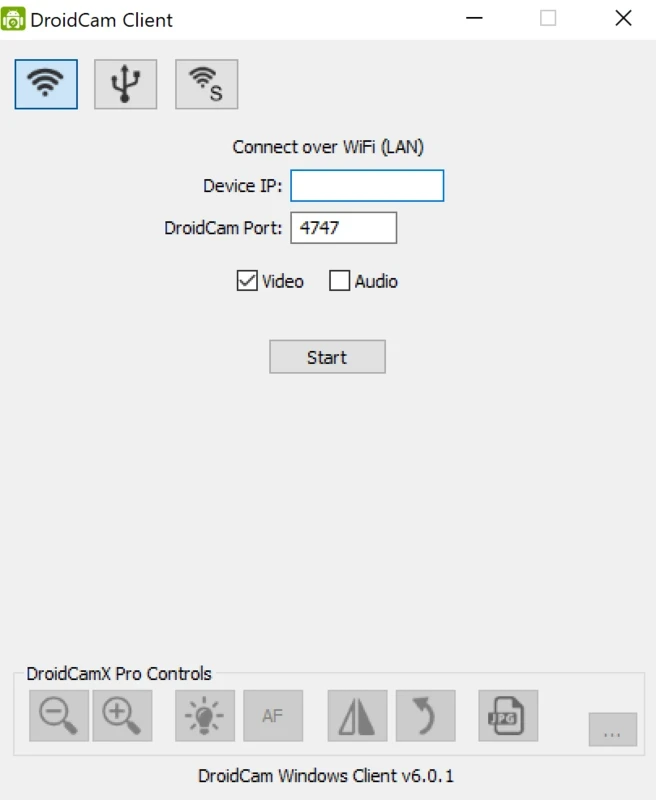
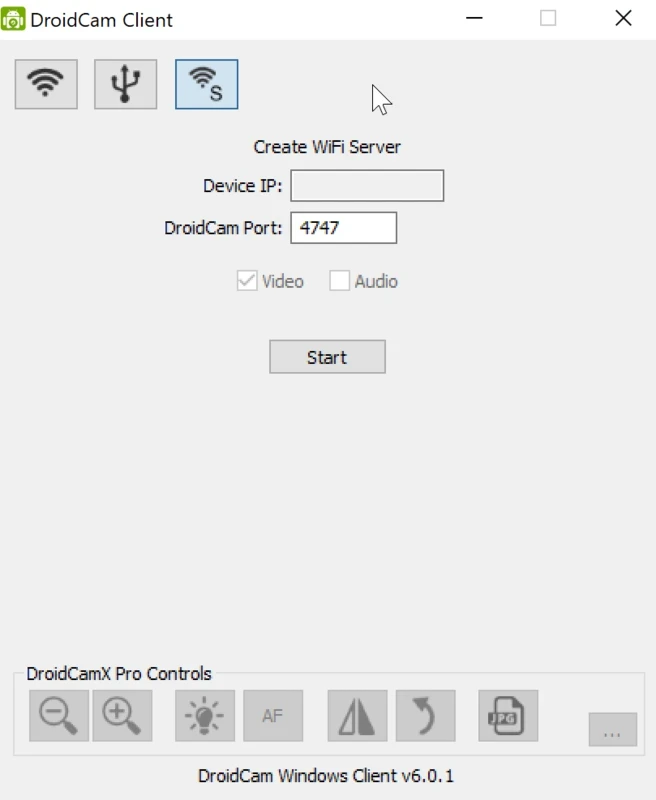
DroidCam 6.5.3 is the Windows client from Dev47Apps that turns your phone into a webcam for your PC. You can download DroidCam for Windows from the developer's site, install the matching phone app, and use the phone's camera in video calls, streams and recordings.
Plenty of people have a laptop with a weak webcam or a desktop PC with none at all, while their phone carries a very good camera. DroidCam links the two. The phone app captures video and sends it to the PC, and the Windows client makes it appear as a regular webcam that Zoom, Teams, OBS Studio or a browser can select. The microphone can be used as well, so a phone placed in front of you replaces both camera and mic. You connect over the local Wi-Fi network, which is the simplest option, or by USB cable, which is more stable and keeps the phone charged during a long meeting. The client is light and does not need a powerful PC. For students, remote workers and anyone who needs a camera today without buying one, it is a quick fix that often looks better than a budget webcam.
A Windows PC and a phone with the DroidCam app. For Wi-Fi mode both must be on the same network; for USB mode, the cable must support data, not only charging.
Install the client only from dev47apps.com; the update page there lists new versions. The phone's camera and microphone stay active while DroidCam runs, so stop it on the phone after a call.
DroidCam is listed as freeware.
Use a phone stand or small tripod and place the phone at eye level. Keep the phone plugged in during long calls, and use the rear camera if your setup allows it; it is usually better than the front one.
Similar tools on our site include Camo Studio, iVCam and Iriun Webcam.
CapCut for Windows is ByteDance's desktop video editor, with a timeline, templates and export presets for short and long videos.

VLC media player is a free, open-source video and audio player for Windows from the VideoLAN team. The current release is 3.0.24.

Green Free Video Converter is a small free Windows program for converting video files between common formats for phones, players and editors.
Format Factory is a free Windows multimedia converter from Free Time for changing video, audio and image files between formats.

Streamlabs OBS, now called Streamlabs Desktop, is a free open-source Windows app for live streaming and recording with built-in alerts and overlays.
Free Cam is a free screen recorder for Windows from iSpring Solutions for recording screencasts with voice-over and trimming them before export.

TikTok for Windows is the desktop app of the short-video platform from TikTok Pte. Ltd., available free from the Microsoft Store.

Iriun Webcam is a small free Windows program that turns an Android phone or iPhone into a wireless webcam for video calls and streaming.